
This year changed everything about education. With online learning at an all-time high, lessons are more tech-based than ever before – and they’re likely to stay that way.
Now, schools are shifting their focus to ensure all students have access to educational technology. But with limited IT budgets, many must still prioritise keeping costs down.
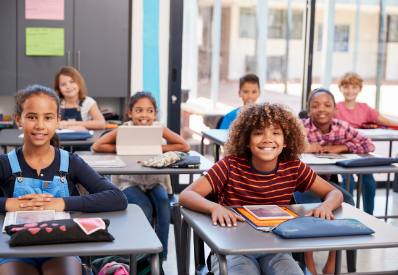
The solution? BYOD (bring your own device) programmes that let students continue learning from the personal devices they’re already familiar with.
Here’s how to effectively integrate student-owned devices into the classroom with a managed BYOD strategy.
What is BYOD?
Bring your own device (BYOD) programmes started in the corporate world. These solutions are designed to let individuals use their personal devices, most often smartphones, tablets or laptops, to access the internet and other network materials.
At school, that usually means students use devices brought from home to complete lessons electronically or use educational applications, while being restricted from accessing certain sites, including social media platforms.
Why is BYOD important?
Not all schools have the budget to purchase a device for each student. But as education necessitates more tech-based learning, districts are looking for creative solutions to help bridge the digital gap and increase device access.
BYOD programmes free up limited IT budgets so schools can concentrate their funds on helping students whose families may be experiencing financial challenges. This ensures all students have equal access to BYOD benefits like:
-
Personalised learning
-
Digital collaboration
-
Tech literacy
-
Job preparation
How much schools save by integrating student-owned devices into their EdTech strategy varies. However, the potential is huge!
“Businesses who practise BYOD in the workplace save over £250 per employee per year, with a potential of saving up to £900 per year per employee.”
Cisco
In a 1:1 environment, learners at different levels can complete coursework at their own cadence. Students who have mastered certain concepts can then concentrate on subjects that present more of a challenge. Those who need a little extra time with certain concepts can reread or re-watch lessons as many times as they need to really grasp the material.
Digital lessons can also be condensed into shorter time frames for summer school or stretched out over longer trimesters to accommodate a variety of learning schedules. This makes it possible to guide students through the material at a faster or slower pace, depending on the situation.
Differentiated instruction
“Differentiated instruction” allows an educator to teach to the student, not the test. By tailoring their instruction, teachers can more effectively meet individual students where they are, ensuring they don’t get left behind.
Technology makes it possible for educators to conduct virtual classrooms while differentiating their teaching and providing supplemental resources as needed without ever leaving their learning management system.
Teachers might encourage learners struggling with a particular concept to preview a set of curated content before the day’s lesson. Or, they may direct advanced learners to more advanced material to keep them feeling challenged.
Differentiated projects are another popular method for instructors. It allows students to use diverse programs and mediums to showcase their work, even as teachers personalise content.
Assisting students with disability
Defined by the World Health Organisation, “assistive devices and technologies are those whose primary purpose is to maintain or improve an individual’s functioning and independence to facilitate participation and to enhance overall well-being.”
For students with disabilities, assistive technology often comes in the form of their school-issued devices. Many arrive standard with a host of assistive learning tools like screen readers, interactive displays, touch screens, and text-to-speech tools. More advanced apps and specialised communication tools (think: braille keyboards, smart pens, headsets for hearing aids) can help students with a disability excel by creating a more inclusive classroom experience.
In truth, there’s no faster way to level the scholastic playing field than implementing a 1:1 learning program. Edtech devices help students of all abilities and backgrounds achieve their personal best, while staying connected to classmates and learning lifelong skills.
Developing a BYOD strategy
“By the time infants reach age two, 38% have already used at least one smart device. “
It’s probably not a stretch then to assume that many have a machine they’re familiar with by the time they start school. Letting them learn on something they’re already accustomed to working with is smart, if you have the right strategy in place.
To effectively manage different classroom devices, schools need a comprehensive BYOD plan. Often referred to as an Acceptable Use Policy (AUP), these guidelines clearly communicate where and when devices will be used in school as well as internet safety policies around messaging and social media use.
Be sure to outline the process you’ll use to ensure computers are up-to-date enough to access class material and how you’ll secure machines brought from home. It’s also important your BYOD strategy addresses how it will provide tech for students who don’t have access to an updated or school-appropriate device at home.
Finally, decide on which platform-agnostic tools you’ll use, too. Web or cloud-based applications and educational apps available to everyone are a good start.
John Dewey once said,
“If we teach today as we taught yesterday, we rob our children of tomorrow”.
Educational devices are a huge part of how we ensure children are educated for tomorrow. The fact that BYOD programmes help make this process less expensive for schools and districts is a nice perk that puts updated EdTech within reach for all students.